A Clean Vegetable Icon Pack for Modern Creators
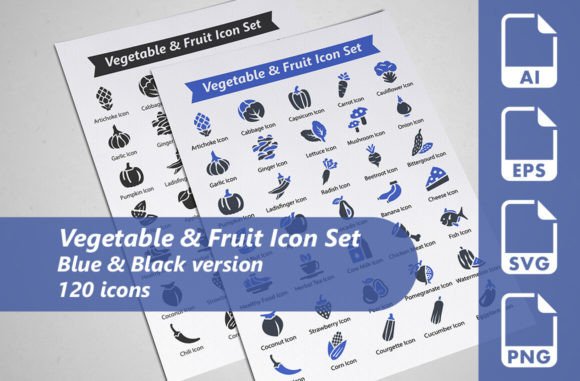
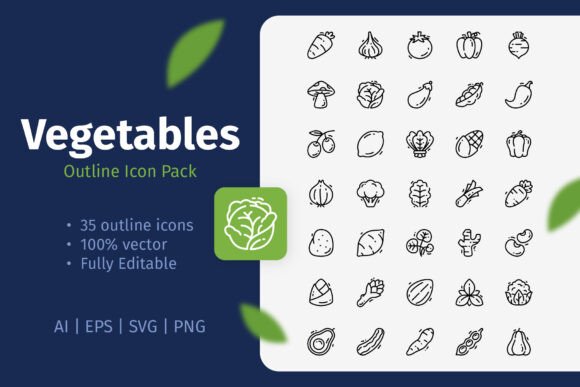
The Vegetables Outline Icon Pack is a collection of 35 simple, scalable vector icons, each representing a common vegetable in a clean, minimalist style. It strips away the complexity, leaving just the essential outline. This is its power. It’s not just a set of images; it’s a versatile toolkit for communication.
The Simplicity of a Good Outline
Why does an outline work so well? In visual design, clarity often beats detail. A clean outline is instantly recognizable, reduces visual clutter, and integrates seamlessly into diverse layouts. This pack offers icons for everything from a robust broccoli to a humble pea, all sharing a consistent aesthetic. This consistency is a secret weapon for building cohesive brand materials, educational content, or user interfaces.
The fact that every icon is a 100% vector file means these outlines are infinitely adaptable. They are not static images. You can resize them from a tiny app button to a massive poster print without any loss of quality. You can change the stroke weight to make them bold and assertive or thin and delicate. Most importantly, you can change the color. With a few clicks in software like Adobe Illustrator, that simple black outline of a carrot can become green, orange, gold, or even your brand’s signature blue.
Creative Applications Beyond the Expected
While icons for websites and mobile apps are a clear use, the possibilities extend much further. Let’s explore some project-specific ideas.
For Educators and Publishers
Clear imagery aids learning and retention. Use these icons to create visual guides for nutrition lessons, decorate worksheets for gardening clubs, or design chapter headers in cookbooks. A simple outline of a tomato on a flyer for a farm stand is more effective than a paragraph of text. You can create matching coloring pages for children by removing the fill from the icons, or use them in infographics comparing vegetable vitamin content. The key is to use them as consistent visual anchors across your materials.
For Marketers and Small Businesses
Consider a local organic cafe. These vegetable outlines can be woven into their entire visual identity: as subtle decorative elements on menus, as featured graphics on social media posts announcing seasonal dishes, and as clean icons on flyers for a weekend market. For a food blogger, the icons can serve as a visual index for recipe categories, making a website easier to navigate. The minimalist style feels modern and trustworthy, aligning with values of freshness and simplicity.
For Designers and Freelancers
This pack provides a reliable base for more complex projects. You might use the bell pepper icon as a starting point for a custom logo, adding unique details around the core recognizable shape. The icons can be combined to create patterns for fabric designs, website backgrounds, or packaging textures. In UI design for a grocery delivery app, these outlines can form a clear, uncluttered category selection system. Having the source files (AI, EPS, SVG) means you can integrate them directly into your vector workflows without conversion hassles.
Adapting the Pack to Your Audience and Context
The same icon can communicate differently depending on how you style and place it. A bright red, thick-stroke tomato icon on a vibrant poster conveys energy and freshness. The same icon in a thin gray stroke placed next to nutritional data on a health app conveys calm, factual information. Context is everything.
Think about your audience’s needs. For a general consumer audience on social media, pairing a carrot icon with a short, friendly tip about storage makes for an engaging post. For a professional audience, such as at a horticulture conference, that same carrot icon on a presentation slide about root vegetable growth cycles should be presented with a more formal, neutral color palette. Always let the audience’s expectations guide your customization.
Maintaining Effectiveness and Originality
With such editable assets, it’s easy to over-customize. The best practice is to define a simple style rule for your project and stick to it. For example, decide on one stroke weight and a limited color palette (two or three colors) and apply it to all icons used in that project. This creates a harmonious, professional look.
To keep results original, combine the icons with your own content. Don’t just use the eggplant icon alone; place it alongside your original recipe text or your unique infographic data. The icons should support and elevate your core message, not replace it. They are the visual punctuation, not the entire sentence.
From Digital Screens to Printed Pages
The included file formats ensure readiness for any medium. The PNG files are ready for immediate use in digital contexts where vector editing isn’t needed, like simple blog posts or quick social media graphics. The SVG format is perfect for modern web development, allowing crisp, scalable icons directly in browsers.
For print—flyers, banners, posters, books—the vector EPS and AI files are essential. They guarantee that the outlines will print sharply at any size, whether on a small business card or a large festival banner. This cross-format readiness means one asset pack can serve a multi-channel campaign effortlessly.
A Toolkit for Practical Creativity
Ultimately, the Vegetables Outline Icon Pack is a practical enabler of creativity. It removes the technical barrier of creating 35 consistent illustrations from scratch. It gives you a foundation of clear, recognizable symbols that you can then own by adapting them to your project’s voice, color, and scale. It encourages you to think about how visual simplicity can make your communication—whether you’re teaching, selling, blogging, or designing—more effective and cohesive. Start with the clean outline, and build your unique story around it.