Evaluating the Enter PowerPoint Presentation Template
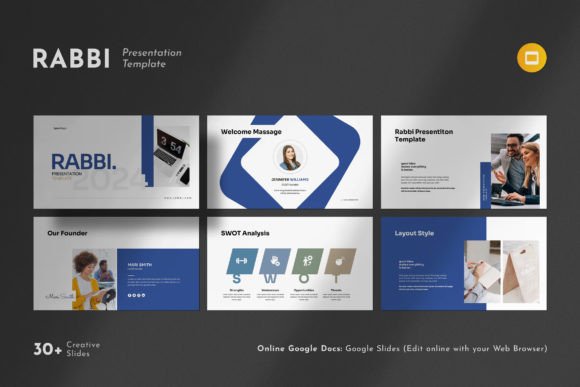
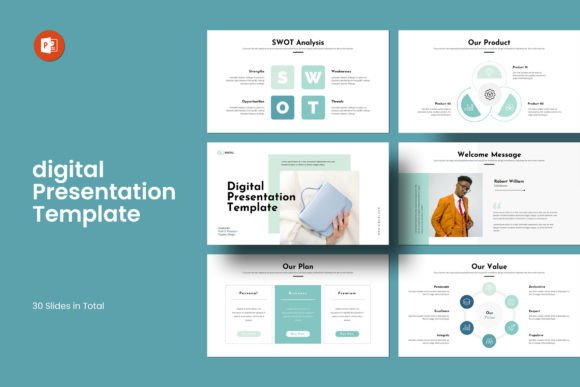
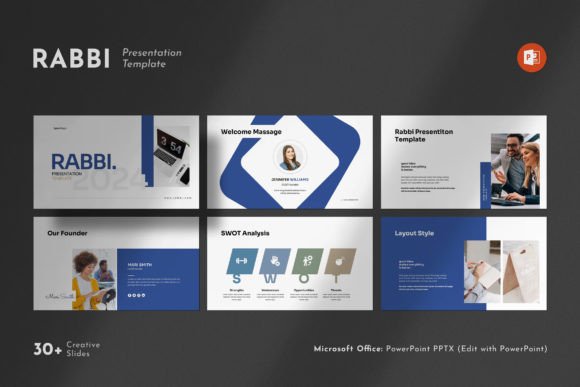
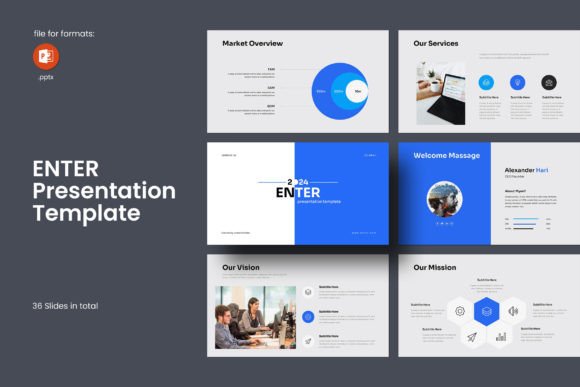
In the professional world, the quality of a presentation can significantly impact how information is received. For individuals and organizations seeking a polished, modern design framework, the Enter PowerPoint Presentation Template offers a structured starting point. This template is a pre-designed set of 36 slides intended to provide a cohesive and contemporary visual foundation for creating business presentations, company profiles, or project showcases.
Core Features and Capabilities
The Enter PowerPoint Presentation Template is built as a PPTX file compatible with both Microsoft PowerPoint on Windows and Apple's PowerPoint. Its design is anchored in a 16:9 Full HD ratio (1920x1080 pixels), the standard for most contemporary displays and projectors. The template is constructed using master slides, which means global design changes—such as fonts, colors, or logo placement—can be applied efficiently across all slides.
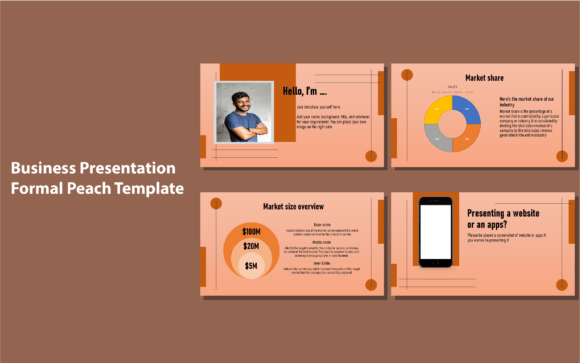
Key components included are diverse photo layout options, infographic elements, tables, vector icons, and various diagrams. The template emphasizes editable flexibility: all graphics are resizable and editable, and images can be replaced via a drag-and-drop mechanism. It utilizes free fonts, with links provided in the help file, avoiding licensing complications. A detailed PDF guide is included for further instructions. Notably, the stock images shown in the demonstration slides are not part of the download; users must supply their own photographs and graphics.
Potential Benefits and Advantages
For users, the primary benefit of the Enter PowerPoint Presentation Template is time efficiency. Designing a presentation from a blank slate requires considerable effort in layout, typography, and consistency. This template provides a ready-made, professional aesthetic that can accelerate the production process. The contemporary design aims to convey a clean, powerful impression, potentially elevating the perceived professionalism of the content.
The emphasis on editable elements is a significant practical advantage. The ability to resize graphics, change colors, and easily swap pictures means the template is not a rigid product but a adaptable tool. It can be tailored to match specific brand colors or project themes. The inclusion of infographics and diagrams can also assist users who may not have advanced design skills in visualizing data and processes more effectively.
Another notable aspect is the stated support offering. The provision of free real support from the template's designers can be valuable for users encountering technical issues or needing clarification on customization, potentially reducing frustration and downtime.
Trade-offs and Considerations
While the template offers convenience, there are inherent trade-offs. The most prominent is the need for users to supply their own high-quality images. The demo visuals are not included, meaning the final presentation's impact heavily depends on the user's own photography or stock image resources. Without suitable images, the professional look of the template may not be fully realized.
Furthermore, using a pre-designed template can sometimes lead to a generic feel if not sufficiently customized. While the Enter template is editable, presentations that over-rely on the default structures and icons without significant personalization may risk blending in with other presentations using similar market templates. The design, described as simple and contemporary, may also not suit every context—more traditional industries or highly creative, artistic projects might require a different visual approach.
Users must also ensure their presentation software is compatible and that they are comfortable working with master slides and editable vector graphics, which may have a slight learning curve for absolute beginners.
Situations Where This Template Is a Strong Fit
The Enter PowerPoint Presentation Template is likely a strong fit for specific scenarios. It is particularly well-suited for business professionals, startup teams, or consultants who need to create client-facing presentations regularly and value a consistent, clean corporate look. Individuals presenting company profiles, annual reports, or service overviews will find the included diagrams and infographics useful.
It is also a practical choice for users with intermediate PowerPoint skills who understand how to customize templates but lack the time or graphic design expertise to build a foundation from scratch. The 36-slide count offers a breadth of layout options for a standard-length presentation without being overwhelming. For projects where a modern, uncluttered aesthetic is a priority, this template aligns directly with that goal.
When to Consider Alternatives
Alternatives to the Enter PowerPoint Presentation Template should be considered in several circumstances. If a presentation requires a highly unique, brand-specific, or avant-garde design that diverges from contemporary clean layouts, a custom-designed template or hiring a designer might be preferable. Similarly, for very short presentations (e.g., under 10 slides), a large 36-slide template might be unnecessary, and a simpler, smaller template could suffice.
Users who require all-inclusive packages—where stock images are provided alongside the layouts—might need to look for templates that explicitly include licensed photography. Additionally, if the presentation needs to adhere to a specific aspect ratio different from 16:9 Full HD, such as 4:3 for older systems or a custom size, a different template would be required.
Finally, for users who are absolute beginners to PowerPoint and prefer a template with extremely granular, step-by-step video tutorials instead of a PDF guide and support contact, exploring templates with different learning resources might be beneficial.
Practical Decision-Making Insights
When evaluating whether the Enter PowerPoint Presentation Template aligns with your needs, a practical approach is recommended. First, assess your core requirement: is it speed and a professional baseline, or is it unparalleled uniqueness? If the former is priority, this template serves that well.
Inventory your own resources. Do you have access to a library of high-quality images and logos to populate the slides? If not, factor in the additional time and potential cost of acquiring those assets. Consider your skill level with PowerPoint's more advanced features like master slides and graphic editing. If you are unfamiliar, review the included PDF guide to gauge if it seems sufficient, or note that the support option is available.
Compare the slide structure. Browse the list of included slide types (photo layouts, infographics, etc.) and mentally map them to the content you need to present. If your presentation consists mainly of dense text slides with few visuals, a template focused on imagery and diagrams might not be fully utilized. Conversely, if your content is visual and data-driven, the match is likely good.
Aligning the Tool with Your Goals
The ultimate value of any presentation template lies in its alignment with the user's specific goals, constraints, and skills. The Enter PowerPoint Presentation Template presents a compelling package of modern design, editable flexibility, and professional structure. It effectively removes the initial design hurdle for creating clean presentations. Its considerations—the need for external images and the potential for generic outcomes if under-customized—are important factors in the decision.
By objectively weighing your need for efficiency against your need for distinctiveness, your available visual assets, and your technical comfort level, you can determine if this template is a tool that will enhance your workflow and outcome, or if exploring other avenues would better serve your project's unique requirements. In the realm of professional communication, the right template is not just about aesthetics; it's about finding a foundation that allows your content to be communicated with clarity and impact.