Expert Keynote Template: A Professional Presentation Design System
In the professional world, a presentation is often a critical moment. It can be a pitch to investors, a report to stakeholders, or a keynote to an industry audience. The design and clarity of your slides are not merely aesthetic concerns; they directly influence how your message is received and remembered. For many busy professionals, creating a visually compelling presentation from scratch is a significant time investment, often pulling focus away from refining the actual content. This is where a structured design system like the Expert Keynote Template enters the picture, offering a practical solution for elevating your communication.
What Exactly Is the Expert Keynote Template?
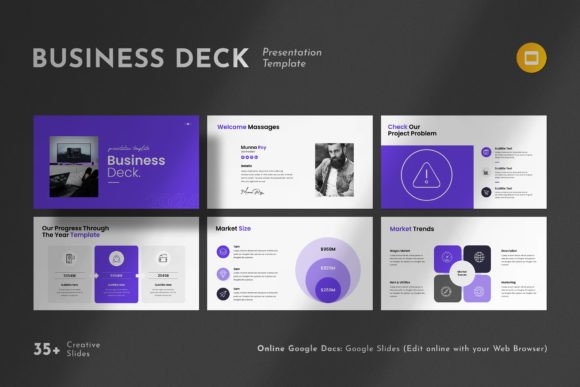
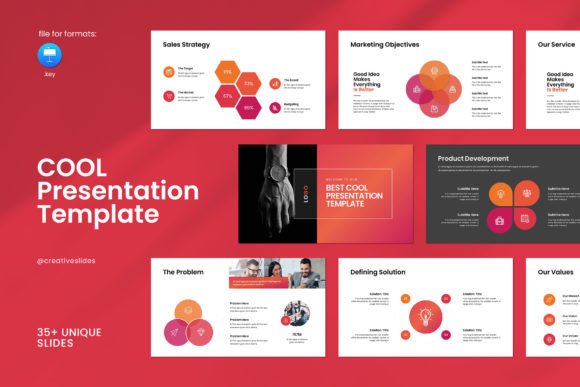
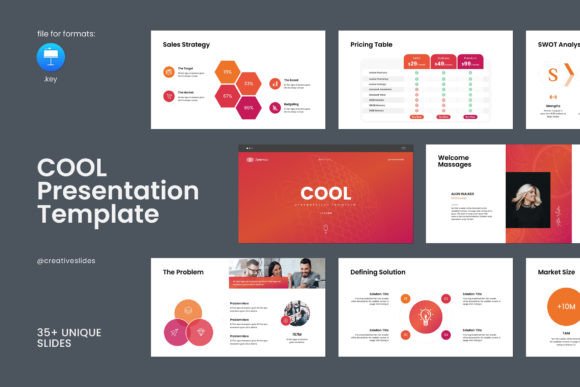
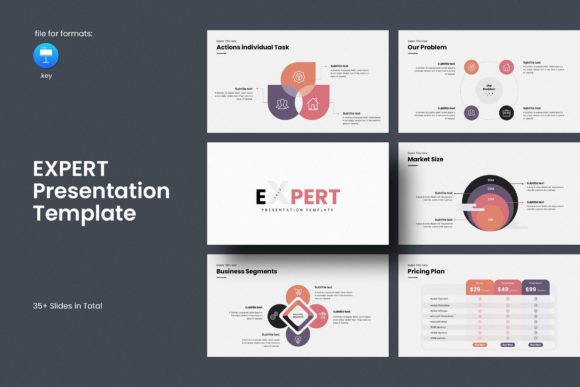
The Expert Keynote Template is a pre-designed framework of 36 slides built for both Apple Keynote and Microsoft PowerPoint. It is not a single slide but a comprehensive set of layouts, master slides, graphic elements, and typographic guidelines. Think of it as a professional-grade toolkit rather than a simple template. Its core philosophy is "simple, contemporary but powerful." This means it avoids overly complex animations or distracting designs, focusing instead on clean layouts that enhance your content. It includes thoughtfully arranged photo grids, modular infographics, editable tables, a library of vector icons, and logical diagrams. These components are designed to work together cohesively, allowing you to present your work and company profile with a polished, unified aesthetic.
Beyond Saving Time: The Strategic Advantages
The most immediate benefit is efficiency. Starting with a blank canvas requires decisions on color schemes, font pairing, and layout proportions. The Expert Keynote Template provides these foundational design decisions, all based on master slides. This means you can apply consistent formatting across all 36 slides instantly. For a project manager preparing a quarterly review, this translates to hours saved on formatting, enabling more time for data analysis and narrative crafting.
The efficiency extends to practical edits. Features like easy drag-and-drop photo replacement and fully resizable, editable graphics mean adjustments are intuitive. If a marketing manager needs to swap product images for a client presentation, they can do so without wrestling with complex layering or alignment tools. The template’s 16:9 Full HD ratio (1920x1080px) is the industry standard for modern screens and projectors, ensuring your presentation looks sharp on any display without last-minute rescaling.
Enhancing Communication and Credibility
A well-designed presentation does more than look good; it strengthens your message. The template’s built-in infographics and diagrams provide visual frameworks for explaining processes, timelines, or data comparisons. For an educator or trainer, these tools can transform a dry list of steps into an engaging flow chart, aiding comprehension and retention for the audience. The professional layouts implicitly boost your credibility. A freelancer pitching services or a small business owner showcasing their company profile can leverage this clean design to convey competence and attention to detail, often leveling the playing field with larger competitors.
Another significant advantage is consistency. Using the master slide system ensures every slide—from the title page to the thank you screen—follows the same visual rules. This creates a seamless experience for your audience, preventing the jarring effect of mismatched fonts or erratic color usage that can undermine a presentation's professional tone.
Important Considerations and Practical Use Cases
The template is designed for a wide range of users but will resonate most with individuals and teams who value design but lack dedicated graphic resources. Entrepreneurs crafting investor decks, bloggers creating webinar slides, and consultants building client reports will find it particularly useful. Its cross-platform compatibility ("Works on Both Apple Windows") is a key practical feature for teams using different operating systems.
It’s important to note the template provides the structure and editable elements, but it is not a content creation service. The images used in the demo previews are not included, which is typical for professional templates. You supply your own photographs, logos, and data. This is actually a benefit, as it forces you to integrate your unique brand assets, making the final output truly yours. The free fonts used are linked in the help file, ensuring you can easily acquire them to maintain exact typographic integrity.
The included PDF documentation and the offer of free real support from the designers are valuable safety nets. If you encounter a specific technical question while customizing a complex diagram, having direct access to skilled support can resolve issues quickly, preventing project delays.
Where It Fits in Your Toolkit
The Expert Keynote Template is a solution for recurring presentation needs. It is less suited for a one-off, highly artistic presentation requiring bespoke illustration. For those, a custom designer might be better. However, for anyone who regularly needs to produce clear, professional, and visually coherent presentations—from internal team briefings to public conferences—this template acts as a reliable foundation.
Its strength lies in its balance. It offers enough creative layouts (like creative photo grids) to make presentations visually engaging without requiring advanced design skills. The "fully editable" nature of all graphics means you can adjust colors to match your brand palette or scale icons to fit your layout, providing flexibility within a guided system. This empowers the user to be creative without being overwhelmed by unlimited, unstructured choices.
A Tool for Focused Content Creation
Ultimately, the greatest value of the Expert Keynote Template might be psychological. By removing the daunting task of foundational design, it allows you to channel your energy into what matters most: your narrative, your data, and your unique insights. A blogger can focus on crafting a compelling story for their audience instead of fiddling with text boxes. An educator can concentrate on pedagogical flow rather than slide transitions. It simplifies the decision-making process around design, solving the problem of visual inconsistency and freeing up cognitive resources for content refinement.
In a digital environment where clear communication is paramount, tools that enhance efficiency and quality are invaluable. The Expert Keynote Template, with its 36-slide system, editable graphics, and professional support, is one such tool, designed to help you present your work not just adequately, but on another level.