The Idea Icon Set: A Versatile Toolkit for Visual Communication
In the vast landscape of design and development, clarity and visual efficiency are paramount. Professionals across disciplines often need to convey concepts, processes, and ideas quickly and effectively, without relying solely on lengthy text descriptions. This is where a specialized asset library becomes an integral part of the workflow. The Idea Icon Set is precisely such a resource—a collection of 60 meticulously designed icons centered around the theme of concepts, innovation, and thought. It is a tool designed to fit seamlessly into the practical, day-to-day processes of creators, communicators, and strategists.
Understanding the Core Asset and Its Place in Your Process
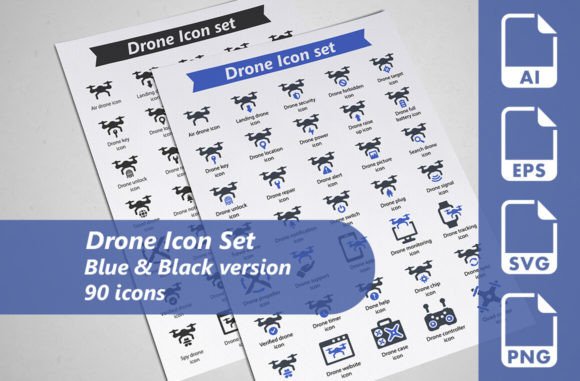
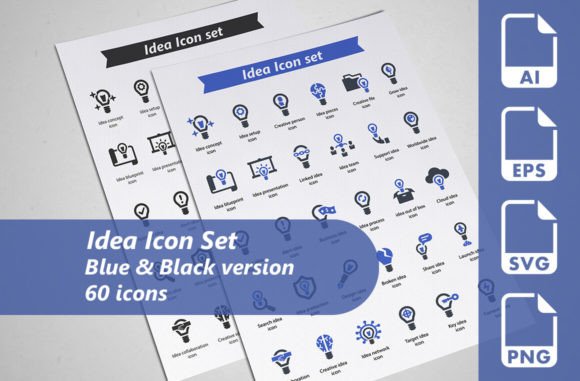
Before integrating any new resource, it’s crucial to understand its structure and potential. The Idea Icon Set is not just a random assortment of graphics; it is a coherent system. The set offers 60 unique idea-related icons, provided in two distinct color versions: blue and black. This results in a total of 120 individual graphic files. The choice of colors isn’t merely aesthetic; blue often conveys trust, intelligence, and calm, while black offers stark clarity and formality, allowing the icons to adapt to different brand tones and project moods.
The technical specifications are built for professional use. Each icon comes as a fully editable vector AI file, giving designers complete control over shape, color, and scale without quality loss. For web and digital implementation, there is a dedicated SVG file at 128x128 pixels, ensuring crisp rendering on screens. For print and larger-scale applications, an EPS file (EPS10 version) at 256x256 pixels is included. Additionally, a transparent PNG at the same 256x256 resolution provides immediate, easy-to-use assets for software that doesn’t handle vectors. This multi-format approach is a critical part of the preparation phase, eliminating compatibility hurdles and saving valuable time during the execution stage.
Integration into Project Lifecycles and Workflows
The utility of the Idea Icon Set extends across the entire timeline of a project—from initial planning to final delivery and even into long-term brand maintenance.
During the Planning and Conceptualization Phase
At the outset of a project, whether it’s a website wireframe, a presentation outline, or an infographic draft, visual placeholder can help stakeholders grasp structure. Using these icons in mockups can visually signify sections dedicated to “strategy,” “innovation,” “brainstorming,” or “research” before any final copywriting or graphic design is complete. This aids in internal alignment and client communication, making abstract planning stages more tangible.
In the Active Design and Development Phase
This is where the set’s versatility shines. A web designer might integrate the SVG icons into a website’s interface to highlight features like a “thought leadership blog” or a “solution center.” A marketer crafting promotional materials could use the PNGs in social media graphics or email banners to draw attention to a new “idea campaign” or “conceptual launch.” An educator or blogger creating an illustrated guide on creative thinking could employ the icons to break up text and visually annotate key steps in the thought process. The icons interact directly with other assets like text blocks, photography, and data visualizations, serving as cohesive visual anchors that enhance comprehension without clutter.
A Practical Implementation Tip
For efficiency, organize the icons by theme upon download. Create folders for “brainstorming icons,” “technology ideas,” “creative concepts,” etc., based on your interpretation. This micro-organization within your asset library speeds up selection during high-pressure design tasks, maintaining workflow fluidity.
For Consistency and Long-Term Brand Use
For entrepreneurs and small business owners building a lasting visual identity, consistency is key. Using a subset of these icons across all touchpoints—from website to printed brochures to presentation templates—creates a recognizable visual language. The fully editable vector files are crucial for this long-term use. If a brand color evolves, the blue icons can be easily adjusted to a new hue in Adobe Illustrator, ensuring the asset library remains relevant and aligned with the brand without requiring a search for new icons, thereby safeguarding quality control over time.
Key Factors for Smooth Integration
Successfully adding the Idea Icon Set to your toolkit requires attention to a few practical factors beyond just downloading the files.
Usability and Scalability
The vector (AI and EPS) foundation guarantees infinite scalability. An icon can be used as a tiny 16px detail on a mobile app button or blown up to poster size for a conference banner without any pixelation. This makes the set reliable for projects with unknown future scope. When using the SVG format for web development, remember that its 128x128 base size is optimal, but SVG’s inherent scalability means you can control size with CSS, making it responsive and adaptable to different screen layouts.
Cross-Platform Compatibility
The provision of AI, SVG, EPS, and PNG covers nearly every professional scenario. If your workflow involves passing assets between teams—for example, a designer providing vectors to a print vendor (EPS), a web developer (SVG), and a social media manager (PNG)—this set facilitates that collaboration seamlessly. It acts as a single source, reducing the need for file conversion, which is a common point of friction and error in collaborative projects.
Workflow Examples in Different Fields
- Freelancer Creating a Client Presentation: Start with the black icons in PowerPoint or Google Slides to create a clean, professional deck about a marketing strategy. Use icons for “idea,” “lightbulb,” and “connect” to visually segment slides about conceptualization, innovation, and networking.
- Productivity-Minded User Building a Personal System: Incorporate the blue icons into a custom Notion dashboard or printed planner to symbolize different types of tasks—using a “brain” icon for deep work sessions and a “puzzle” icon for problem-solving blocks.
- Publisher Developing an Infographic: Combine the PNG icons with data charts and short texts in a tool like Canva or Adobe Illustrator to explain a complex process, such as the stages of technological adoption. The icons serve as intuitive visual cues that guide the reader’s eye through the information flow.
Beyond the Single Project: Building a Reusable Asset Library
The true value of a well-curated icon set like this one accumulates over multiple projects. Instead of searching for disparate icons for each new task, you develop a personal or organizational library of go-to visuals. This promotes not only efficiency but also a subtle consistency across your entire body of work. For a studio or business team, storing these editable files on a shared, cloud-based design server means everyone draws from the same visual pool, strengthening brand unity in all outputs.
Furthermore, the “idea” theme is universally applicable. Whether your next project is about educational content, business process documentation, a startup pitch, or a community event promotion, the concepts of thinking, planning, and creating are almost always relevant. The set, therefore, becomes a flexible, long-term companion rather than a one-time purchase.
An Observation on Quality Control
Because all icons originate from the same vector source and share a consistent design style (line weight, corner radius, visual metaphor approach), using them together guarantees a polished, professional look. This eliminates the common pitfall of mixing icons from different sets, which can result in a visually jarring and amateurish final product. The set provides internal consistency, which is a critical component of external quality perception.
In conclusion, the Idea Icon Set is more than just a collection of graphics; it is a workflow optimization tool. It fits into the preparation stage by offering ready-made, compatible formats. It supports the active execution phase by providing clear, scalable visuals for immediate implementation. And it contributes to long-term quality and consistency by serving as a reliable, editable asset that can evolve with your needs. By integrating it thoughtfully into your organizational systems and creative habits, you can streamline communication, enhance the clarity of your projects, and save valuable time—allowing you to focus more on the ideas themselves, and less on how to represent them.